


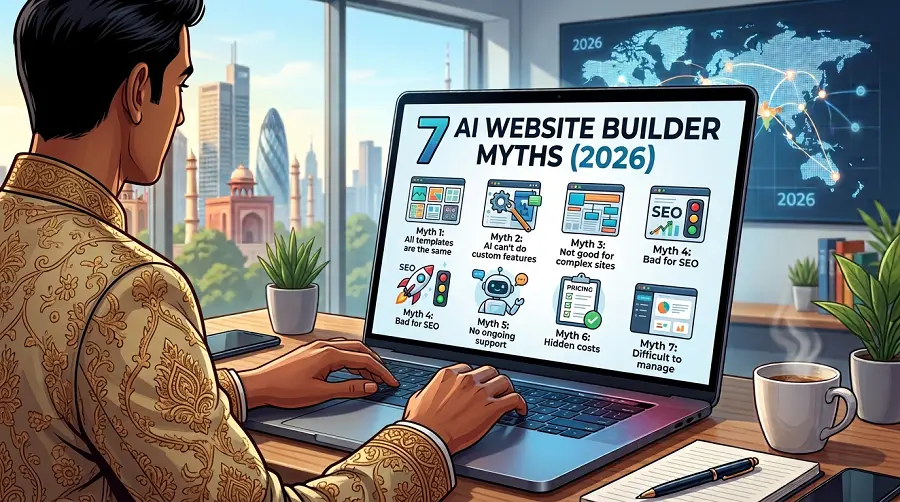
Key Takeaway
AI website builders make website creation faster but don't guarantee SEO, conversions, accessibility, or performance. Their designs and content still need human refinement and testing. They work well for simple projects, while businesses should consider long-term costs and platform limitations. AI is most effective as a starting point combined with human expertise.
Picture a café owner building her website over a cup of tea. She types a two-line prompt, and the tool writes the copy, picks the colours, drops in stock photos and publishes everything in under an hour. A month later the site has had a few dozen visits and zero orders. Nothing is technically broken. It just isn’t doing any work.
That gap between “live” and “useful” is where most AI website builder myths come from. An ai site builder is a genuinely handy tool in 2026, but the marketing around these platforms has taught owners to expect things the software was never designed to deliver. Here are the seven beliefs we run into most often, and what’s actually true.
Why AI Website Builder Myths Are Everywhere
Every platform sells the same moment. You describe your business, blink, and a polished site appears. The demos are real. What they leave out is everything that happens after launch.
A website builder has always been a shortcut for the build stage, and generative AI has made that stage faster still. Ranking, converting visitors and staying secure are separate jobs, and that’s where the confusion starts.
7 AI Website Builder Myths, One by One
Myth #1. “My AI Site Builder Gives Me a Finished Website”
It gives you a draft. Usually a good-looking one, but still a draft. The layout is based on patterns that suit thousands of other businesses, which means it isn’t based on yours.
Who calls you, what they ask before booking, why they choose you over the shop down the road: the AI knows none of this unless you tell it. Most people don’t.
Myth #2. “AI-Built Websites Rank on Google by Themselves”
This is probably the most expensive of all the AI website builder myths. Builders add basic title tags and a sitemap, and that’s roughly where the help ends. Search engine optimisation still depends on keyword research, local signals, internal links, backlinks and content that answers real questions.
Google has said it doesn’t penalise content simply because AI wrote it. What it rewards is content that’s helpful and original, and a generic template filled with generic text rarely clears that bar. If you want to appear for “near me” searches, an experienced SEO agency in Kolkata (or wherever you operate) will do more for you than any auto-generated meta tag.
Myth #3. “The AI Copy Is Good Enough to Publish”
Read it out loud and you’ll hear the problem. AI copy tends to sound like everyone else’s AI copy: warm, vague and oddly confident.
It also skips the details that make people trust a business, like:
- your actual prices or starting rates
- the areas you serve
- a real photo of you or your team
- how long a typical job takes
Use the draft as scaffolding. Then rewrite it in the words your customers use when they phone you.
Myth #4. “Speed and Mobile Performance Are Taken Care Of”
Some builders are quick out of the box. Many slow down the moment you add a video header, a chat widget, three apps and a dozen uncompressed photos.
That matters more than most owners realise. According to Think with Google, 53% of visits are abandoned if a mobile site takes longer than 3 seconds to load. Google’s research also found that as page load time goes from one second to seven seconds, the probability of a mobile site visitor bouncing increases 113%.
An AI tool won’t stop you from bloating your own site. Someone still has to test it on a mid-range phone over mobile data.
Myth #5. “Accessibility Is Built In”
Most builders say their templates are accessible, and that’s partly true on day one. But accessibility isn’t a setting you switch on once. It depends on everything you add after launch.
Think about who might visit your site. Someone who zooms in to read, an older customer squinting at light grey text, or a person using a keyboard or screen reader instead of a mouse. An AI tool can’t predict every photo or button you add, so gaps creep in fast.
The fixes are usually simple:
- Write a short, honest description for every image
- Make sure text stands out clearly against its background
- Label every form field
- Try navigating your site using only the Tab key
Getting this right helps more people finish a booking or send an enquiry, which is the whole point of having a website.
Myth #6. “It’s Always the Cheapest Option”
The monthly fee looks small. Then come the custom domain, a booking app, an email tool, extra storage and a premium template. Over two or three years, those add-ons can cost more than a properly built site you own outright. Leaving later can hurt too, because many platforms won’t let you take your design with you.
Before signing up, compare the three-year total against a quote from a low cost website design company in Kolkata or a local studio near you. Sometimes the builder still wins. Often it doesn’t.
Myth #7. “AI Will Replace Web Designers Soon”
AI has taken over a lot of the grunt work, and that’s a good thing. It hasn’t replaced judgement. Deciding what a page should make someone feel, what they should do next and what to leave out is still a human skill. AI speeds up the designer. It doesn’t remove the need for one.
The Real Limitations of Using Website Builders
Most AI website builder myths point back to the same handful of limitations of using website builders. They’re worth knowing before you commit.
- Templates are shared by thousands of sites, so standing out takes real customisation work.
- You’re renting, not owning. If the platform changes pricing or drops a feature, you adapt or move.
- Deeper SEO control, such as schema markup, redirects and server settings, is often restricted.
- Page weight creeps up as you add apps, and some don’t uninstall cleanly.
- Support usually means a help centre and a chatbot, not someone who knows your business.
So, What Are the Benefits of AI Web Design?
None of this means you should avoid AI. Asking what are the benefits of ai web design is the right question, as long as you’re honest about the answer.
The biggest win is speed at the start. Getting a rough layout and copy in minutes gives you something to react to instead of a blank screen. It also makes sense for small or short-lived projects, like an event page, a festive offer or a quick test of a new service. And it’s excellent for brainstorming headline options, colour palettes and section ideas.
The sensible middle ground is letting the ai site builder handle the first draft, then bringing in people for strategy, copy, SEO and tracking. That’s how any good agency offering digital marketing services in Kolkata should be using AI in 2026: as an assistant, not a replacement.
A Quick Check Before You Hit Publish
- Open the site on your own phone using mobile data, not office Wi-Fi.
- Rewrite every AI-written paragraph in your own voice.
- Add descriptive alt text to each image.
- Put your phone number, address and service area in plain text, not only inside images.
- Connect Google Search Console and Google Analytics on day one.
AI website builder myths survive because they’re half true. The tools really are fast, and they can produce something that looks professional. What they can’t do is understand your customers, your competitors and your local market for you. Treat the builder as a starting point rather than a finish line, and you’ll get the best of both.
FAQs
Are AI website builders good for SEO in 2026?
They cover the basics, like titles and sitemaps. Rankings still depend on keyword research, local SEO, quality content and backlinks, which you’ll need to handle yourself or with an expert.
Can Google tell if my website was built with AI?
It may, but that alone won’t hurt you. Google judges whether content is helpful and original, not which tool produced it.
What are the biggest limitations of using website builders for small businesses?
Shared templates, limited SEO control, rising add-on costs and difficulty moving your site elsewhere are the most common complaints.
Is an ai site builder cheaper than hiring a web designer?
In the first year, usually. Over three years, once you add apps and upgrades, a custom site you own can work out similar or cheaper.
Can I move my AI-built website to WordPress later?
Content can usually be exported, but the design and many features often can’t. Plan for a partial rebuild.
What are the benefits of ai web design for a local business?
Faster drafts, lower costs for simple pages and quick edits. It works best when a human refines the result.
 5 Website Design Mistakes Kolkata Business Owners Still Make in 2025
Is your website silently losing leads? Discover 5 common website design mistakes Kolkata business owners still make —...
Read article →
5 Website Design Mistakes Kolkata Business Owners Still Make in 2025
Is your website silently losing leads? Discover 5 common website design mistakes Kolkata business owners still make —...
Read article →
 Affordable vs. Cheap Website Design: Why Free Templates Cost You More
Cheap website design may look affordable, but free templates often cost more through poor SEO, low conversions, and...
Read article →
Affordable vs. Cheap Website Design: Why Free Templates Cost You More
Cheap website design may look affordable, but free templates often cost more through poor SEO, low conversions, and...
Read article →
 Multilingual Website Design in 2026, A Complete Guide for Indian Businesses Going Global
Multilingual website design helps Indian businesses reach global and regional customers through localised content, flexible layouts, clear language...
Read article →
Multilingual Website Design in 2026, A Complete Guide for Indian Businesses Going Global
Multilingual website design helps Indian businesses reach global and regional customers through localised content, flexible layouts, clear language...
Read article →