


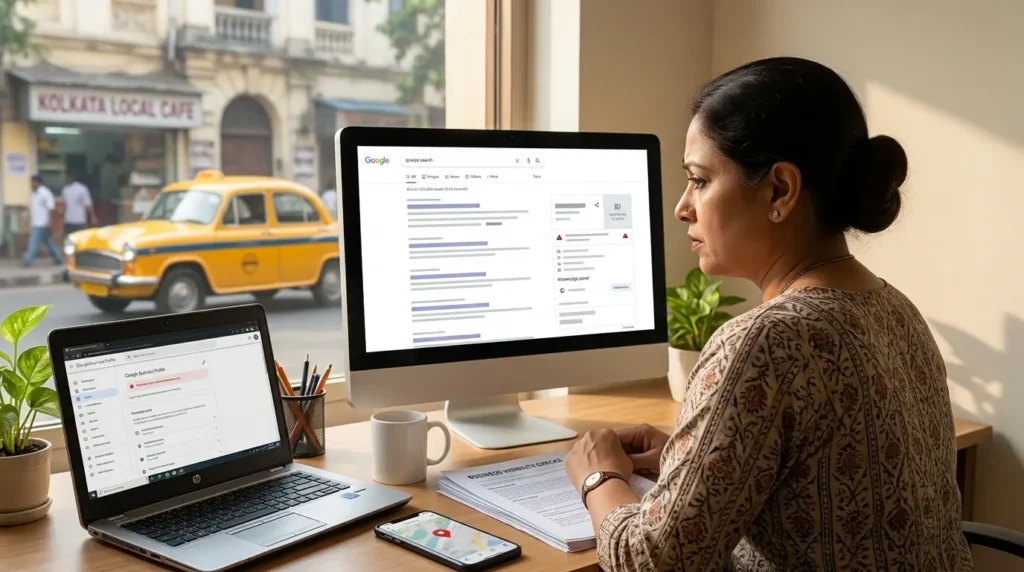
Key Takeaway
If your business is missing from Google, first work out which result is missing: your website, your Maps listing, or only your service searches. Each points to a different fix, from indexing and noindex settings to Google Business Profile eligibility, local relevance and clearer service pages.
You search for your business name, service or location on Google, but your business is missing. Perhaps your website appears for its exact name but not for “interior designer in Kolkata.” Or your shop shows on Google Maps from one phone but disappears when you search from another area. These are different problems, and each needs a different fix.
The fastest way forward is to identify where visibility is breaking down: website indexing, organic rankings, Google Business Profile eligibility, Maps relevance or your business information. This guide walks through 12 practical checks without promising instant first-page rankings.
Quick answer: Why is my business not appearing on Google?
Common reasons include a website that Google has not indexed, pages blocked by technical settings, weak relevance to the searches customers use, an incomplete or unverified Google Business Profile, inconsistent business information, or a profile that has been suspended or is ineligible. Sometimes the business is visible, but only for a different query or search location.
First, search your exact business name, then search for your website using site:yourdomain.com, and finally test a relevant service-and-location query. Check Search Console for website indexing and Google Business Profile for Maps status. Each test answers a different question.
First identify which Google result is missing
| What is missing? | What to check first |
|---|---|
| Your website does not appear even for its name | Google Search Console → URL Inspection and Page indexing |
| Your website appears by name but not for services | Search intent, service pages, on-page relevance, authority and competition |
| Your business listing is missing from Maps | Google Business Profile status, eligibility, verification and listing details |
| You appear in one neighbourhood but not another | Searcher proximity, relevance and local competition |
| You get impressions but few enquiries | Search snippets, landing pages, CTAs and conversion tracking |
12 reasons your business is not showing on Google, and how to fix them
1. Google has not indexed your website or important pages
Google cannot display a page in ordinary search results if that page is not indexed. New sites, recently published pages and technically inaccessible URLs may take time to be discovered or processed.
How to check: Open Google Search Console, use URL Inspection on your homepage and main service page, and read the indexing status. A site: search can offer a quick clue, but it is not a complete or reliable inventory of indexed URLs.
What to do: Ensure the page returns HTTP 200, is linked from your site navigation or other indexed pages, has a suitable canonical URL and is not blocked from indexing. Submit an XML sitemap and request indexing for important pages after fixing issues.
2. A noindex tag, robots.txt rule or canonical setting is preventing visibility
A page can look normal to visitors while instructing search engines not to index it. A mistaken canonical may also point Google toward a different URL. Blocking crawling with robots.txt is not the same as using noindex, and Google must be able to crawl a page to see its noindex directive.
How to check: Review Search Console indexing reports, page source for meta robots directives, HTTP X-Robots-Tag headers, canonical tags and your robots.txt file.
What to do: Remove accidental noindex directives, correct canonical tags and make important pages crawlable. If you use WordPress, confirm that “Discourage search engines from indexing this site” is not enabled.
3. Your website targets the wrong search terms
A page titled “Welcome to Our Company” tells Google much less than a page clearly explaining your service and area. A business may rank for its brand name but fail to compete for phrases that prospective customers actually use.
How to check: In Search Console → Performance, compare the queries producing impressions with your target services. Look for missing service-intent queries and pages that rank for irrelevant topics.
What to do: Build useful, distinct service pages around real customer needs. For example, a Kolkata signage manufacturer should explain LED sign boards, shop signage and corporate signage on relevant pages instead of relying on a generic homepage. Matching each service to the searches behind it is usually the first thing we map out when a business comes to us for SEO services in Kolkata.
4. Your service pages do not answer the searcher’s question
Even if a page includes the right keyword, it may not help a customer decide whether you are suitable. Thin descriptions, generic claims and missing examples reduce the page’s usefulness.
What to do: Explain exactly what you provide, who it suits, locations served, process, practical considerations, real project examples, FAQs and a clear next step. Add authentic images and case studies where available. Avoid creating near-identical location pages that merely swap city names.
5. Your Google Business Profile is incomplete, unverified or not eligible
A Google Business Profile helps eligible businesses appear in Search and Maps. A profile that is not verified or has unresolved issues may not be displayed as expected. Some online-only businesses are not eligible for a profile.
How to check: Sign in to Google Business Profile, review verification and profile status, and confirm that the business meets Google’s eligibility rules, including in-person customer contact where required.
What to do: Complete your accurate business name, primary category, hours, website, phone, services and appropriate address or service area. Follow Google’s guidelines; do not add keywords to your legal or real-world business name solely to rank.
6. Your Google Business Profile category or services are inaccurate
Google needs to understand what your business actually does. Choosing a broad or incorrect primary category can make your profile less relevant to the searches that matter.
What to do: Choose the most specific accurate primary category and add relevant secondary categories only where they genuinely describe the business. Complete service details and use genuine photographs. Do not select unrelated categories to chase visibility. Category and service setup is one of the first areas we review in the profile work that forms part of our digital marketing services in Kolkata.
7. Your business information is inconsistent across the web
Conflicting addresses, phone numbers or business names can confuse customers and make it harder to maintain a reliable online presence. Not every citation is a ranking factor, but accuracy is important for trust and discovery.
What to do: Keep your business details consistent on your website, Google Business Profile and major relevant directories. Update outdated listings after moves, rebrands or phone-number changes. Avoid mass-submitting to low-quality directories.
8. You are searching from outside your realistic local reach
Google Maps results are influenced by relevance, distance and prominence. A business in Salt Lake may appear differently to someone searching from New Town or Behala. Searching repeatedly from your own office does not reproduce every customer’s results.
What to do: Evaluate visibility across realistic customer locations and relevant services. Improve your profile and service pages, collect authentic reviews, and build local relevance. Do not assume a single Maps position applies across all of Kolkata.
9. Competitors have stronger local relevance or reputation signals
Established competitors may have more complete information, stronger websites, better-known brands and a history of genuine customer engagement. Google says local ranking is primarily based on relevance, distance and prominence.
What to do: Ask satisfied customers for honest reviews without incentives or review gating, respond professionally, keep your profile current and publish useful evidence of your work. No one can pay Google for better organic local ranking.
10. Your site is difficult to use on mobile or technically unreliable
If your site is slow, unstable, hard to navigate or broken on mobile, users may leave before contacting you. Technical problems can also prevent search engines from accessing important content.
What to do: Test key landing pages on mobile, fix broken links and server errors, improve Core Web Vitals where practical, make contact buttons easy to use, and ensure important content is available without requiring complex scripts. If the problems run deeper than a few quick fixes, it may be worth speaking to a website design company in Kolkata about rebuilding the key pages with mobile visitors in mind.
11. You have created overlapping pages that compete for the same intent
Publishing multiple similar pages about “SEO company in Kolkata” or duplicating city pages can weaken your content architecture and confuse visitors. Google may choose a different canonical or ranking page than the one you expect.
What to do: Map one primary search intent to each important URL. Consolidate duplicate or weak pages where appropriate and link supporting articles to the most relevant service page. Keep local pages only when they provide genuinely distinct local value.
12. Your business is visible, but you are measuring the wrong outcome
A website can appear in search results and still generate few enquiries. Rankings for your business name do not prove you are reaching new buyers, and traffic alone does not establish lead quality.
What to do: In Search Console, monitor non-branded impressions, clicks and landing pages. In GA4, track form submissions and meaningful contact actions. Separately review qualified calls, booked consultations and sales opportunities. If your pages already get visits but little response, our guide on website traffic but no leads covers the conversion side in more detail.
A 15-minute Google visibility diagnosis for business owners
| Minutes | Action | What it tells you |
|---|---|---|
| 0–3 | Search your exact business name and inspect the result | Whether brand visibility exists |
| 3–6 | Inspect homepage and key service URL in Search Console | Whether Google can index important pages |
| 6–9 | Check Google Business Profile status and category | Whether your local listing is configured correctly |
| 9–12 | Review non-branded queries in Search Console | Whether you reach prospective buyers |
| 12–15 | Test contact form and mobile call/WhatsApp buttons | Whether visibility can turn into leads |
Google Search vs Google Maps: which should you fix first?
If your website is not indexed, start with technical SEO. If your business listing is missing, first resolve Google Business Profile eligibility, verification or suspension issues. If both appear for your brand but not for service searches, prioritize relevant service content, local signals and competitive analysis. If both already attract visitors, investigate conversion tracking and lead quality before investing in more traffic.
How long does it take to appear on Google?
There is no guaranteed timeline. Google may discover and index eligible pages within days or take longer, and indexing does not guarantee rankings. Business Profile verification and review timelines vary by situation. Sustainable visibility for competitive service searches generally requires ongoing improvements and measurement rather than a one-time submission.
A practical 30-day improvement plan
Week 1: Fix discoverability
Set up or review Search Console, inspect key URLs, resolve indexing errors, check sitemap and canonicals, and verify Google Business Profile status.
Week 2: Improve relevance
Map service keywords to pages, rewrite unclear titles and service descriptions, improve internal links, and check local business details for accuracy.
Week 3: Strengthen credibility and usability
Add real work examples, authentic customer feedback, useful FAQs and clearer contact paths. Test mobile usability and contact forms.
Week 4: Measure qualified leads
Review Search Console query and landing-page changes, set up GA4 lead events, and track enquiries by channel and service. Prioritize the pages that show relevant impressions but low engagement or conversion.
When should you ask an SEO or Local SEO specialist for help?
Consider professional support if key pages remain excluded after technical fixes, a profile is suspended and you cannot resolve the issue through official guidance, your website has major migrations or canonical problems, or you need a measurable plan for service-specific leads across multiple locations.
AS Webmarketings helps businesses diagnose website visibility, local discovery and conversion issues through technical SEO, service-page optimization, Google Business Profile improvements and lead tracking. The right starting point is an audit that identifies the actual cause, not a promise of instant rankings.
Frequently asked questions
Why does my business appear when I search its name but not its service?
Your branded search is less competitive and directly identifies your company. Service searches require stronger topical relevance and often face more competition. Review service pages, search intent and local relevance.
Why is my Google Business Profile not showing on Maps?
Check verification, eligibility, suspension status, category and accurate business information. Results also vary by location and query. If suspended, use Google’s official appeal process rather than creating duplicate profiles.
Does creating a Google Business Profile guarantee a top-three Maps ranking?
No. Profile creation does not guarantee placement. Google considers relevance, distance and prominence, and local rankings cannot be purchased.
Can I rank on Google without a website?
An eligible business may appear through its Business Profile, but a website gives you more control over service information, organic content, conversion journeys and measurement.
Should I create separate pages for every area in Kolkata?
Only when each page offers genuinely useful, distinct information for customers in that area. Thin pages created solely to capture location variations can be unhelpful and may create overlap.
How do I know whether SEO is generating actual customers?
Combine Search Console performance with GA4 conversion events and your CRM or enquiry log. Track qualified calls, form submissions, booked meetings and won business, not rankings alone.
Not showing on Google? Find out what is holding your business back
If your business is missing from Google Search or Maps, or appears but fails to generate enquiries, start with a focused diagnosis. Request a free Google visibility audit from AS Webmarketings to identify indexing, local profile, content and lead-tracking priorities.
 Why Is My Car Dealership Not Showing Up on Google?
A car dealership may not appear on Google because of problems with its Google Business Profile, website indexing,...
Read article →
 How to Do SEO for a Car Dealership Website: Step-by-Step Guide
Learn how to improve SEO for a car dealership website with practical strategies for vehicle inventory, local search,...
Read article →
 Why Google Ads Are Not Working for Your Kolkata Business
Google Ads not working in Kolkata? Learn why your ads fail, waste budget, and how the right strategy...
Read article →